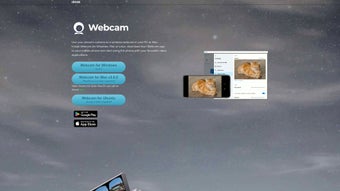

Download Iriun Webcam – Turn Your Smartphone into a High‑Quality Webcam
Overview
Iriun Webcam is a versatile, free tool that lets you transform any Android or iOS smartphone into a fully functional webcam for Windows, macOS, Linux, or Chrome OS computers. In an era where remote work, virtual classrooms, and video‑first communication dominate, the need for a reliable camera has never been greater. Iriun eliminates the expense of buying a dedicated USB webcam by leveraging the high‑resolution sensors already built into modern phones.
After a quick download on both the mobile device and the desktop, the app creates a seamless Wi‑Fi bridge that streams live video at up to 4K resolution. This means crisp, clear video for Zoom, Microsoft Teams, Skype, Google Meet, and countless other video‑call platforms. The user interface is intentionally minimal—once the app detects both devices on the same network, you simply select “Iriun Webcam” as the default camera in your meeting software.
The solution is secure, with data transmitted only within your local network, and it updates automatically to support new OS releases and device models. Whether you’re a freelancer needing a professional appearance, a student attending online lectures, or a gamer streaming on Twitch, Iriun Webcam offers a cost‑effective, high‑performance alternative to traditional webcams.
Key Features, Compatibility & Pros/Cons
Feature List
- Live video streaming from Android or iOS devices to PC/Mac/Linux.
- Support for up to 4K resolution (3840 × 2160) on compatible phones.
- Automatic detection over the same Wi‑Fi network – no cables required.
- Works with popular video‑call apps: Zoom, Skype, Teams, Google Meet, Discord, OBS, etc.
- Low‑latency transmission for smooth real‑time communication.
- Free basic version with optional premium features (e.g., higher frame rates).
- Cross‑platform desktop client for Windows 7‑11, macOS 10.12+, Linux (Ubuntu, Fedora), and Chrome OS.
- Secure local‑network streaming—no cloud storage or external servers.
Operating System Compatibility
The desktop companion runs on 64‑bit Windows (7, 8, 10, 11), macOS (Catalina and later), major Linux distributions (Ubuntu 18.04+, Fedora 30+), and Chrome OS. Mobile support includes Android 5.0+ and iOS 11+. This broad compatibility ensures that most users can adopt Iriun without upgrading hardware.
Pros and Cons
- Pros
- Zero cost for core functionality.
- High‑resolution video up to 4K.
- Wireless operation—no need for USB adapters.
- Easy setup with automatic device discovery.
- Works with virtually any video‑call platform.
- Lightweight desktop client with minimal CPU usage.
- Cons
- Requires a stable Wi‑Fi network; performance may degrade on congested routers.
- Battery consumption on the phone can be significant during long calls.
- Premium features (e.g., higher frame rates) locked behind a paid upgrade.
- Some users report occasional latency spikes on older Android devices.
Installation, Setup & Frequently Asked Questions
Step‑by‑Step Installation
1. Download the desktop client from the official Iriun website (Windows, macOS, Linux, or Chrome OS). Run the installer and follow the on‑screen prompts. The program will automatically add a virtual webcam device to your system.
2. Install the mobile app from Google Play Store or Apple App Store. Launch the app and grant camera, microphone, and local‑network permissions when prompted.
3. Connect to the same Wi‑Fi network on both your computer and smartphone. Iriun uses multicast DNS (mDNS) to discover devices, so they must share the same subnet.
4. Select Iriun Webcam in your video‑call software. Open Zoom, Teams, or any other app, go to video settings, and choose “Iriun Webcam” as the camera source.
5. Adjust resolution and frame rate (optional). In the desktop client’s settings, you can toggle between 720p, 1080p, or 4K, depending on your phone’s capability and network bandwidth.
Usage Tips
For the best experience, place your phone on a stable surface or tripod at eye level. Enable “Do Not Disturb” on the phone to avoid notifications interrupting the video feed. If you encounter lag, reduce the resolution to 1080p or 720p and ensure no other devices are heavily using the Wi‑Fi bandwidth.
FAQ – Structured Data for FAQPage
Is Iriun Webcam really free?
Yes, the core functionality—including wireless streaming up to 1080p—is completely free. A paid upgrade unlocks premium features like 4K at higher frame rates.
Can I use Iriun on a Windows 7 PC?
Absolutely. The Windows desktop client supports Windows 7 (64‑bit) and later versions.
What about privacy—does the video go through the internet?
No. Iriun streams video only within your local Wi‑Fi network using encrypted local sockets. No cloud servers are involved.
Why does the video sometimes freeze?
Freezing usually results from network congestion or insufficient bandwidth for the selected resolution. Switching to a lower resolution or moving the router closer to the devices often resolves the issue.
Can I record the webcam feed locally on my PC?
Yes. Since Iriun creates a virtual webcam device, any software that can record from a webcam (OBS Studio, Camtasia, etc.) can capture the feed directly.
Conclusion & Call to Action
Iriun Webcam delivers a compelling blend of affordability, high‑definition video, and cross‑platform flexibility. By turning a device you already own into a capable webcam, it removes the barrier of extra hardware costs while maintaining professional‑grade video quality. The wireless setup is straightforward, and the app’s low CPU footprint means you can run it alongside demanding applications without noticeable slowdowns. Though it relies on a stable Wi‑Fi connection and may drain your phone’s battery over long sessions, these minor trade‑offs are outweighed by the convenience and performance gains. Whether you’re a remote worker, educator, gamer, or simply someone who wants better video calls, Iriun Webcam is a reliable, secure solution worth trying today.
Ready to upgrade your video‑call experience? Download Iriun Webcam now, install the companion app on your smartphone, and start streaming in crystal‑clear 4K resolution within minutes. Enjoy the freedom of a high‑quality webcam without spending a dime on extra hardware.
Pros: Free core version, 4K support, wireless, broad OS compatibility.
Cons: Requires strong Wi‑Fi, battery drain on phone, premium features locked.







